
Receipts and invoices, always at hand
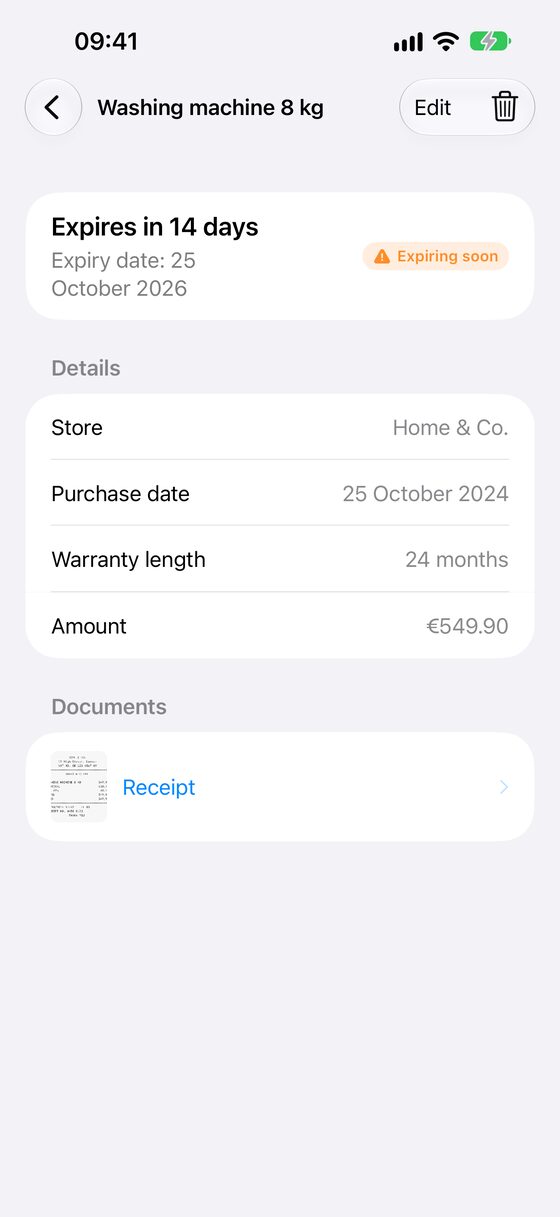
Scan a receipt, pick a photo or import a PDF: an invoice or an order confirmation. Keep several documents per product: they stay on your iPhone and open full screen, with zoom, when you need proof of purchase.

Photograph a receipt and Amberward keeps it, works out when the warranty ends and reminds you in time. No account, no ads, no cloud sync.
A small, focused app that does one job: it makes sure you never miss a warranty again.
Scan a receipt, pick a photo or import a PDF: an invoice or an order confirmation. Keep several documents per product: they stay on your iPhone and open full screen, with zoom, when you need proof of purchase.
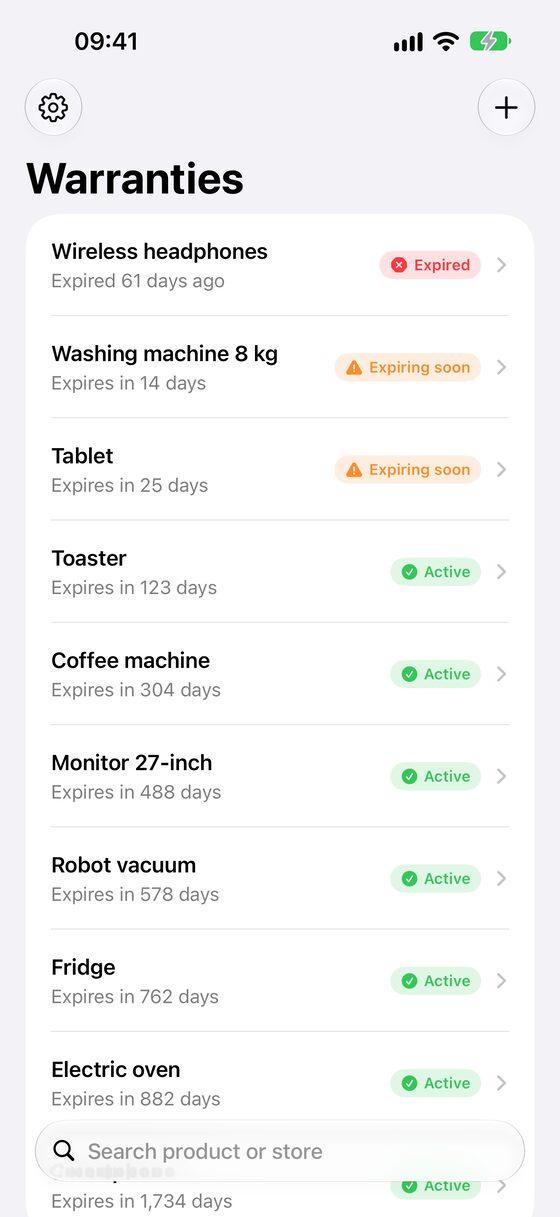
Add the product and the purchase date: Amberward suggests the warranty length for your country (you can change it), works out the expiry date and sorts everything by what ends first. Need more? Add the manufacturer’s warranty or an extension, each with its own start.
A notification 30 days before expiry, at 9:00. If a warranty is already within 30 days, you hear about it the next morning. Edit or delete it and the reminder follows.
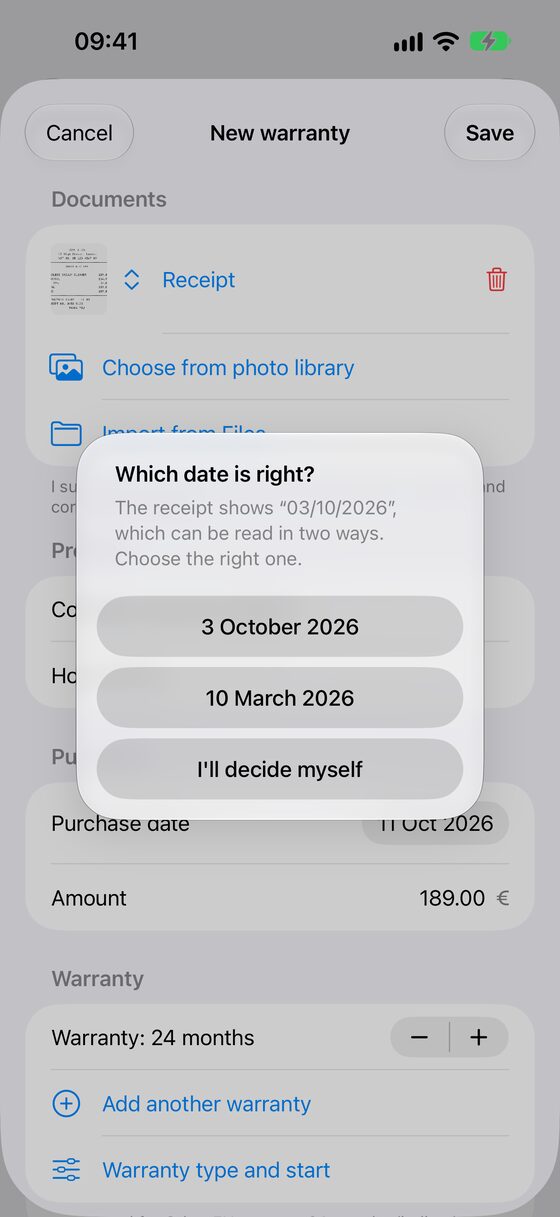
Text recognition runs on your iPhone and suggests the purchase date, amount and other details such as the order number. You always have the last word: every field can be corrected.
No account, no ads, no analytics, no servers. Amberward does not connect to the internet at all.
Search by product or store. Clear status — Active, Expiring soon, Expired — shown with colour, icon and text, in light and dark mode.
Your purchases are nobody's business. That is why Amberward has nothing to sign up for and nothing to send.
No. Everything lives on this iPhone only, which is also why nothing is uploaded anywhere.
Text recognition reads receipts in English, Italian, French, German and Spanish: dates such as 25/10/2026, 10/25/2026 or 25 Oct 2026, and amounts such as 549,90 or 549.90. If a date could be read two ways (03/04/2026), the app asks you which one is right instead of guessing. On other receipts it may suggest nothing; you can always fill the fields in by hand.
iOS can include the app's data in your device backup (iCloud or computer), if you have backups turned on. Amberward cannot guarantee recovery in every circumstance, so keep the originals of your most important receipts.